

5 min read
HVAC Service Agreement Software: Do You Need It If You Already Have an FSM?
Chloe Sackett : Oct 1, 2026, 7:45:00 AM
Table of Contents
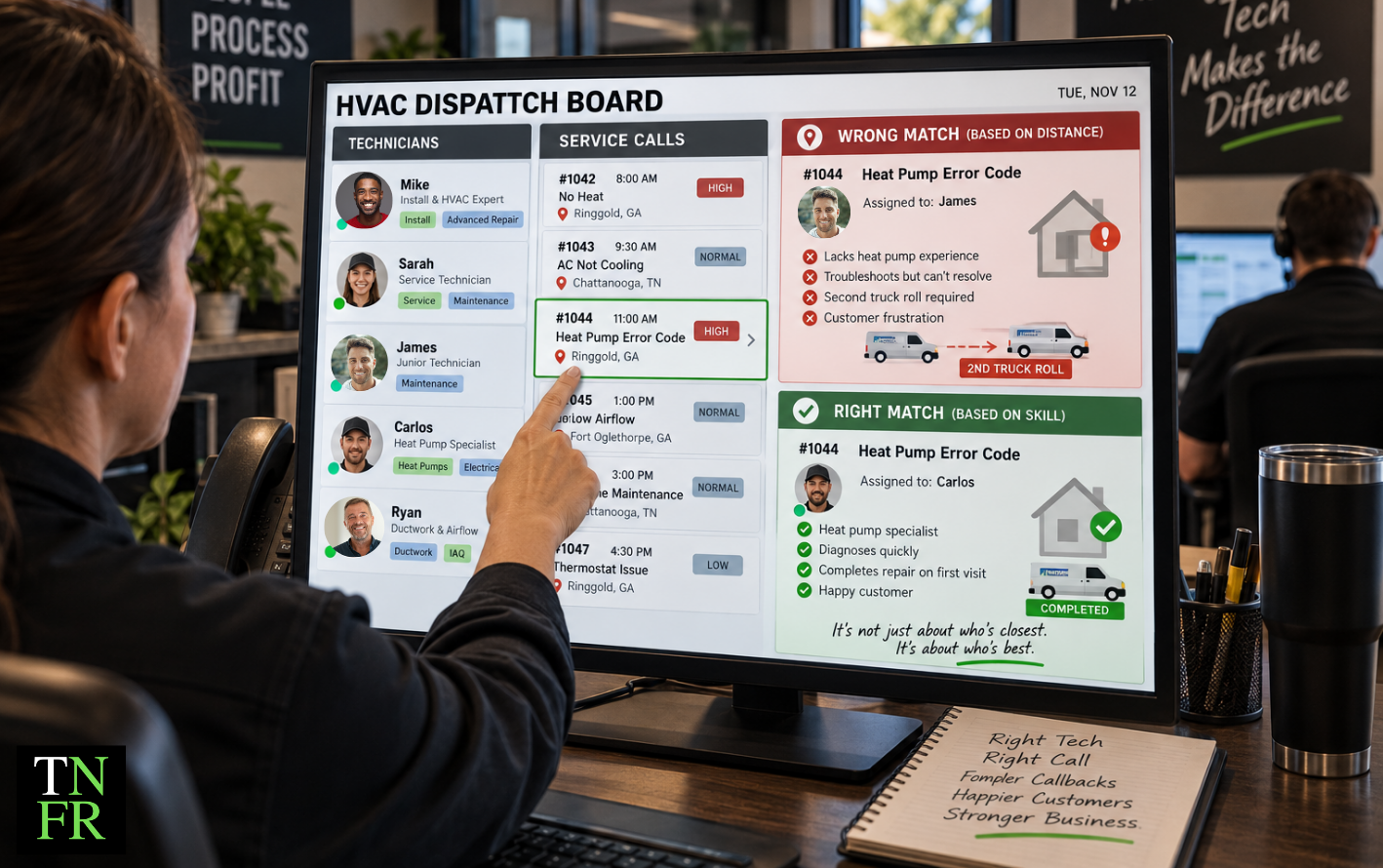
If you already run ServiceTitan, Housecall Pro, or Jobber, you probably don't need separate HVAC service agreement software. Those platforms manage recurring maintenance agreements as part of the core system. They schedule the visits, bill the customer, and flag renewals.
The short answer
Probably not. Your FSM already runs service agreements. Fix the agreement's pricing and structure first, then automate it in the software you already pay for.
So the question worth your time isn't which standalone tool to buy. It's whether the agreement you'd be automating actually makes you money. Software can run a membership program. It can't tell you whether the program is built right.
Does your FSM already manage service agreements?
Almost certainly. Service agreement management is a standard part of the major field service platforms, not a specialty feature you have to find somewhere else.
What most FSMs already include
In most FSMs, you can:
- Schedule recurring maintenance visits automatically
- Bill members monthly or annually without manual invoicing
- Send renewal reminders and handle auto-renewals
- Apply member pricing and discounts at the invoice
- Track active agreements, completed visits, and renewal rates
Those are the same features standalone service contract software advertises. If you're paying for an FSM, you're likely already paying for this.
Check your plan tier first
Some platforms only include agreements on certain plan tiers. If you can't find the feature, check your plan before shopping for a second tool. Upgrading inside the system you already use is often simpler than adding a separate subscription and entering customer data twice.
What service agreement software does, and what it can't do for you
Agreement software handles the admin side. It remembers that a customer is due for a fall tune-up, bills their card on file, and sends the renewal notice before the agreement lapses. That's real value. Nobody misses tracking memberships on a spreadsheet.
But software doesn't decide:
- What to charge for the agreement
- How many visits to include
- What discount members get on repairs
- What your tech does once they're inside the home
Those decisions determine whether the program makes money. The software just carries them out, for every member, every year.
What most people get wrong: They think serious recurring revenue needs a dedicated membership platform. But a badly structured agreement in expensive software is still a badly structured agreement.
Why better software won't fix a bad agreement
Automation doesn't fix the math. It runs the math faster, across more customers. If each agreement costs more to fulfill than it brings in, better software just helps you lose money more efficiently.
Most agreement problems aren't software problems. The membership is underpriced. It includes too many visits. Member discounts eat the margin on repairs. Or techs finish the tune-up and leave without showing the homeowner what they found.
If you want to run the numbers on your own program, we break down the full cost and value math in The Service Agreement That Keeps Your Customer Isn't the Same One That Makes You Money.
When is your FSM enough, and when does a separate tool make sense?
For most residential HVAC companies, the FSM is enough. Here's how to tell which side you're on.
Your FSM is probably enough if
- Most of your work is residential service
- Your agreements come in a few standard tiers
- Your current plan includes the agreement module
- Your real challenge is selling agreements, not tracking them
A separate tool might be worth a look if
- You run commercial contracts across multiple sites, each with its own plan, equipment list, and billing contact
- Your contracts include guaranteed response times you have to track and report on
- Your clients require PO or work order numbers on every invoice
- You've confirmed with your FSM provider that the platform can't handle a specific requirement
Even commercial contractors should check first. Many FSMs offer commercial features or tiers built for exactly these situations.
Three questions to answer before you buy
- What specific task can't my FSM do? Name it. "It would be nicer" isn't a task.
- Will my team enter the same customer data in two places? Double entry costs office hours and creates errors.
- What does the second subscription cost per agreement I sell? Divide the annual cost by your active agreements and see if the number still makes sense.
If you can't clearly answer the first question, you don't need the tool.
Get advice delivered to your inbox
Pricing, sales, and keeping good techs — plus training and events as they come up.
Subscribe →
How do you get the agreement right before you automate it?
Get the model right first. Then automate it. Here's the order that works:
- Price against your real fulfillment cost. That means more than tech wages. Count drive time, truck and fuel, payroll burden, dispatch, and the service slot the visit takes up during busy season. If the membership fee doesn't cover that, fix the price before you touch the software.
- Decide how members are priced on repairs. This is where agreement value is won or lost. A deep member discount on top of pricing that's already thin can wipe out everything the membership brought in.
- Build it in the FSM you already pay for. Once the numbers work, set up your tiers, visit schedule, billing, and member pricing in your existing system.
- Make the agreement part of every presentation. Agreements sell best when homeowners see them alongside their repair options, not as an add-on mentioned at checkout. If you use a menu pricing system with your FSM (The New Flat Rate integrates with both ServiceTitan and Housecall Pro), the agreement can sit right inside the options the homeowner is already looking at. That way the tech isn't making a separate pitch.
Timing matters here too. Fixing your agreement structure with 200 members is a lot easier than fixing it with 2,000. The same logic applies to your pricing overall, which we cover in The Most Expensive Time to Fix Your Pricing System Is After You Grow.
A full maintenance calendar isn't the same as a profitable one
A well-run agreement program fills the board. Techs stay busy through spring and fall, and the schedule looks healthy months out.
But if low-margin maintenance visits take the slots you need for higher-value calls during peak season, the program that looks like growth can start capping it. Busy and profitable aren't the same thing, and agreements are one of the easiest places to confuse them. If that sounds familiar, read Why a Full Schedule Feels More Like a Headache Than a Win.
Key takeaways
- ServiceTitan, Housecall Pro, and Jobber already include service agreement management, so most HVAC companies don't need a separate tool.
- If you can't find the agreement feature, check your plan tier before paying for a second subscription.
- Software handles scheduling, billing, and renewals, but it can't set your agreement price, visit count, or member discounts.
- Automating an underpriced agreement just loses money faster, across more customers.
- A separate tool mainly makes sense for commercial contracts with multi-site, response-time, or PO requirements your FSM can't handle.
- Price agreements against real fulfillment cost, including drive time, payroll burden, and peak-season slots, before you automate anything.
- Agreements sell best when homeowners see them alongside their repair options, not as a pitch at checkout.
Common questions
Does ServiceTitan handle service agreements?
Yes. ServiceTitan includes service agreement management with recurring visit scheduling, automated billing and renewals, and reporting on agreement performance. Most ServiceTitan users don't need a separate tool.
Does Housecall Pro have service agreement software?
Yes. Housecall Pro manages maintenance agreements through recurring service plans, with automated renewals, recurring invoicing, and scheduling built in. Customers can also view and renew their plans online.
What's the difference between HVAC membership software and service agreement software?
Usually nothing. Membership, maintenance agreement, service agreement, and club membership are different names for the same recurring plan. Software labeled either way does the same job.
Is your agreement pricing working for you or against you?
Your FSM can almost certainly run your service agreements. What it can't do is make them profitable. The Pricing Playbook walks through how to price your services so every call, including member calls, covers your real costs. Check your numbers before you automate anything.